


Best DTF Printing for Detailed Artwork: A 2026 Guide

Table of Contents
- What Makes DTF Printing Ideal for Detailed Artwork
- DTF Printing Resolution Requirements for Fine Detail
- How to Prepare Artwork for DTF Printing
- Top DTF Printing Solutions for Detailed Designs
- DTF vs Screen Printing for Small Text and Fine Lines
- Essential Materials: Inks, Film, and Powder for Sharp Prints
- Common Mistakes in DTF Artwork Preparation
- Conclusion
Last Updated: August 7, 2026
What Makes DTF Printing Ideal for Detailed Artwork
Direct-to-film (DTF) printing has become the go-to choice for creators who need best DTF printing for detailed artwork without compromise. Unlike traditional screen printing or direct-to-garment methods, DTF transfers vibrant, photo-quality designs onto fabric with sharp lines and crisp detail that rivals digital printing.
The technology works by printing full-colour designs directly onto a special PET film, applying a powder adhesive layer, and curing the design before transferring it to garment using heat and pressure. This workflow preserves fine lines, gradients, and intricate details that other methods struggle with. DTF delivers professional results without the setup costs of traditional equipment.
What makes DTF stand out is its ability to handle complex artwork, skin tones, subtle colour transitions, small text, and photographic images in a single pass. You're not limited to bold, solid colours like screen printing.
DTF Printing Resolution Requirements for Fine Detail
Resolution is everything when printing detailed artwork. The standard benchmark for DTF printing resolution requirements is 300 DPI (dots per inch) for print-ready files. This density ensures fine lines remain sharp, text stays legible, and colour gradients render smoothly without visible banding or pixelation.
For smaller designs, 300 DPI is non-negotiable. For larger transfers, 200 DPI is acceptable if viewed from a distance. Print anything below 200 DPI and you'll see pixelation, especially in fine lines and small text.
Start with source artwork at 300 DPI or higher, then scale down if needed, never scale up. If you're working with vector graphics (ideal for detailed work), resolution becomes less critical because vectors are infinitely scalable. Raster files (photographs, scanned artwork) demand higher DPI because they contain fixed pixel information.
How to Prepare Artwork for DTF Printing
Preparing artwork correctly is the difference between sharp, vibrant transfers and disappointing results.
File Formats and Colour Profiles
The best file formats for DTF printing are PNG and PDF. PNG preserves transparency and supports full colour depth without compression loss. PDF maintains text and vector information cleanly, making it ideal for designs with typography or vector graphics.
Avoid JPEG files for detailed artwork. JPEG uses lossy compression, which degrades fine lines and introduces compression artefacts, particularly visible in small text and intricate line work.
Colour profile configuration is critical. DTF printing uses CMYK colour mode (cyan, magenta, yellow, black) for accurate colour reproduction. If your design is in RGB (red, green, blue), you must convert it to CMYK before export. RGB-to-CMYK conversion can shift colours slightly, reds become darker, blues shift toward purple, and bright greens dull. Test conversions on a small sample first.
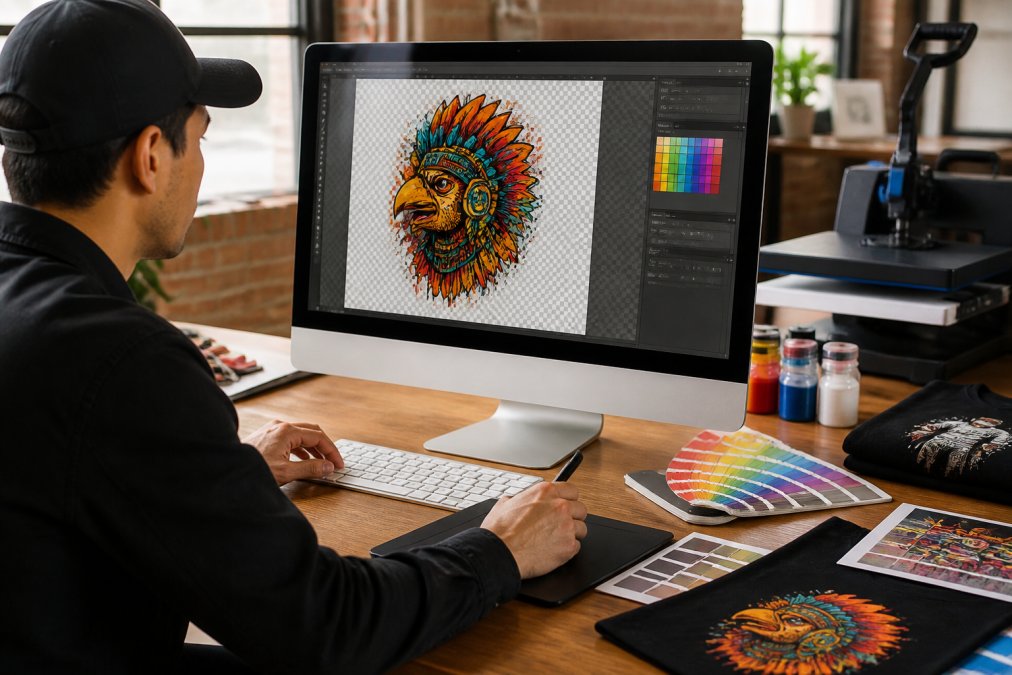
Many design software packages (Adobe Illustrator, Photoshop, Affinity Designer) allow you to set colour profiles during export. Use an ICC profile specific to your DTF provider if available. If you're using BB5wholesale's gang sheet builder, the platform handles colour profile conversion automatically, removing this technical barrier for users unfamiliar with CMYK workflows.
Transparent Backgrounds and Vector Graphics
Transparent backgrounds are essential for DTF transfers. The powder adhesive bonds only to inked areas, so a transparent background ensures the transfer sits cleanly on fabric without a visible border.
When exporting PNG files, ensure the transparency channel is preserved. In Photoshop, save as PNG-24 or PNG-32. In Illustrator, flatten the artwork to a single layer before export, then save as PNG with transparency enabled. Any white background will print as white on the transfer, creating an unwanted border.
Vector graphics are superior to raster files for detailed artwork. Vectors use mathematical curves and points rather than pixels, meaning they scale infinitely without quality loss. Raster files contain fixed pixel information, so enlarging them degrades quality.
If you're starting with raster artwork and need fine detail, consider vectorising it using Adobe Illustrator's Image Trace or Affinity Designer's vectorisation tools. These convert pixel-based images into vector paths, allowing you to scale and print without quality loss.
Top DTF Printing Solutions for Detailed Designs
In-House Printing: Dedicated DTF Printers
Investing in your own DTF printer gives you complete control over quality, turnaround, and scalability. For businesses printing regularly, in-house production eliminates outsourcing delays and allows you to test designs and iterate quickly.
Mimaki TxF150-75 DTF Printer stands out for businesses needing reliable, high-quality output. This dedicated DTF printer delivers vibrant colours and sharp detail across cotton, polyester, and blend fabrics. The strong build and advanced ink technology minimise downtime. The main drawback is the substantial upfront investment and ongoing consumable costs (film, ink, powder). UK-based support from Xpres ensures local assistance when needed.
Epson SureColour SC-F2200 offers versatility by handling both Direct-to-Garment (DTG) and DTF printing. This hybrid approach appeals to shops needing flexibility. The printer delivers excellent colour vibrancy and detail. The trade-off is higher price and more complex maintenance for dual-mode operation.
DTF Warehouse F-27 Pro Dual Head 33cm Printer is a budget-conscious entry point for in-house production. The dual-head design increases speed and efficiency, and the 33cm roll-to-roll format supports gang sheets effectively. The main limitation is that it requires additional equipment, a shaker and curing oven, to complete the workflow.
Outsourced DTF Transfers: Ready-to-Press Services
For businesses without capital for equipment or those handling variable volume, outsourced DTF services eliminate production complexity.
BB5wholesale specialises in high-quality DTF and UV DTF printing solutions, providing seamless outsourced production for custom apparel and merchandise. The platform features an intuitive gang sheet builder that simplifies the design-to-print process. You upload artwork, and they handle printing, powder application, and curing. Fast door-to-door delivery and 24/7 customer support mean you're never stuck waiting for answers. The secure payment system and multiple payment methods (10+ options) protect your transaction. For small Etsy shops to established print operations, BB5wholesale removes the technical barriers of in-house production.
DTF Print Online offers full-colour, photo-quality DTF transfers with fast turnaround, most orders within 1-3 business days. No minimum order quantity means you can test designs on small batches. The soft-feel finish and wash durability are reliable.
The choice between in-house and outsourced depends on volume, capital, and operational complexity. High-volume shops benefit from in-house printers. Small operations and designers testing new products gain flexibility through outsourced services.
DTF vs Screen Printing for Small Text and Fine Lines
Screen printing excels at bold, solid-colour designs with limited colour separation. When you need small text or fine lines, DTF outperforms traditional screen printing significantly.
Screen printing requires separate screens for each colour, and registration (alignment) becomes increasingly difficult with fine detail. Small text under 8 points becomes blurry when screens misalign by even a fraction of a millimetre. Fine lines thinner than 2 points may not hold ink evenly. Photographic images and gradients require halftone dots, which compromise detail.
DTF printing applies all colours in a single pass without registration issues. Small text remains crisp. Fine lines hold consistent width and colour. Photorealistic images and gradients print smoothly. For detailed artwork, DTF is categorically superior.
The trade-off: screen printing is more cost-effective for large runs of the same design (1,000+ units). DTF excels at small batches and custom designs. If your business focuses on personalised merchandise or small-run custom apparel, DTF is the clear winner.
Essential Materials: Inks, Film, and Powder for Sharp Prints
Quality materials directly impact print sharpness and durability.
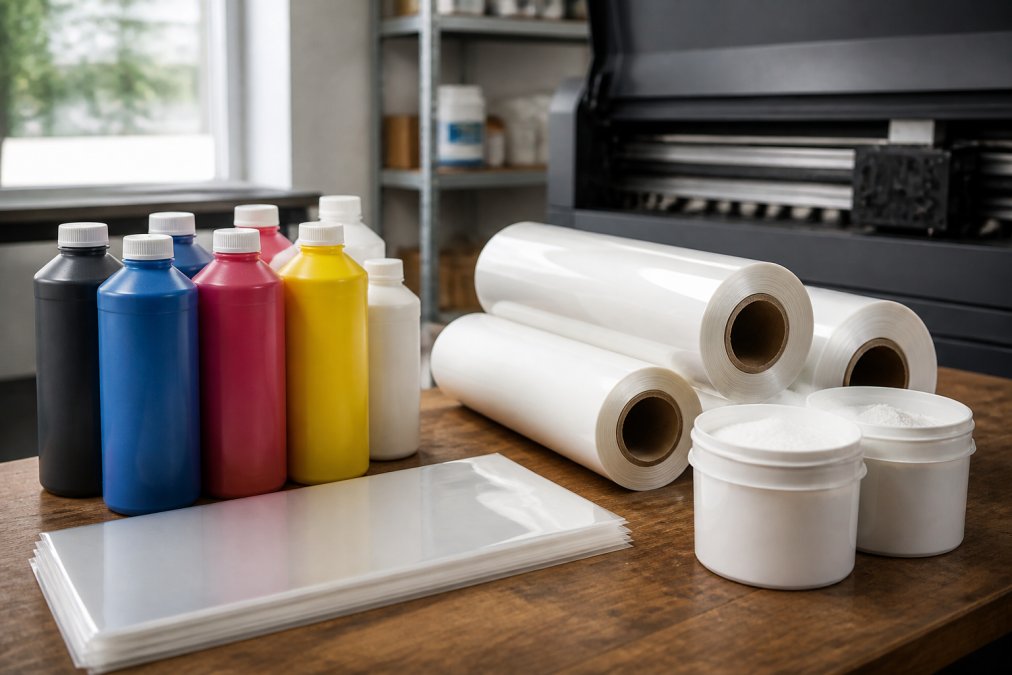
DTF Inks are formulated specifically for film printing. Standard inkjet inks won't work. INKFUSE WSF (White Sediment Free) DTF Ink is engineered to reduce sediment buildup, minimising printhead cleans and extending equipment life. Yolo Creations DTF Ink delivers rich, vibrant colours with smooth printing performance. Choose inks formulated for your specific printer model.
Transfer Film is the substrate onto which the printer deposits ink. Nanodroplet DTF transfer film is EU-manufactured and available in sheets and rolls. The smooth surface ensures every detail of your design is captured beautifully, with reliable feeding and consistent ink adhesion. High-quality film prevents ink bleeding and maintains colour vibrancy.
Curing Powder bonds the ink to the film and, ultimately, to fabric. INKFUSE DTF FINE Premium Curing Powder creates soft, stretchy designs with particle size optimised for fine detail (80-170 micrometres). The cure time is approximately 2 minutes at 120°C in an oven. White powder is standard, but black blockout powder is available for dark fabrics. Premium powder means prints survive 50+ washes without fading or cracking.
Use inks, film, and powder from the same manufacturer or brands known to work together. This consistency ensures optimal adhesion, colour accuracy, and durability.
Common Mistakes in DTF Artwork Preparation
Understanding what goes wrong helps you avoid costly reprints and wasted materials.
Scaling raster files up is the most common error. A 300 DPI file at a smaller size doesn't scale cleanly to a larger size without quality loss. Always source artwork at the intended print size or larger, then scale down if needed.
Ignoring colour profile conversion results in colour shifts. RGB designs converted to CMYK without testing often shift unexpectedly. Use your design software's colour conversion tools and test on a sample transfer before committing to a full order.
Including white backgrounds defeats the purpose of transparent transfers. Always use transparent backgrounds for PNG exports.
Using low-resolution source files (under 200 DPI) produces pixelated output. Start with 300 DPI minimum.
Forgetting to flatten layers in vector designs before export can cause transparency issues. Flatten your artwork before saving as PNG or PDF.
Not testing artwork before full production is expensive. Always print a sample transfer on your target fabric and wash it to verify colour accuracy, detail sharpness, and durability before committing to large orders.
Getting detailed artwork right requires understanding how resolution, colour profiles, and file formats translate to physical prints. The materials you choose, inks, film, powder, determine whether fine lines stay sharp or blur after washing. Whether you invest in in-house equipment or use an outsourced service like BB5wholesale, the principles remain the same: start with high-resolution artwork, use correct colour profiles, and test before scaling.
BB5wholesale simplifies this process with their gang sheet builder and professional printing service, handling the technical details so you focus on design. Upload your artwork, and their 24/7 support team ensures your transfers print with the sharpness and durability your customers expect. With fast delivery and secure payment options, you can confidently scale your custom apparel business without equipment investment. Upload your gang sheet today and see the difference professional DTF printing makes.
Frequently Asked Questions
Is DTF printing good for fine detail?
Yes. DTF printing excels at reproducing fine detail because it deposits ink directly onto transfer film without the limitations of screen printing mesh. At 300 DPI resolution, DTF can capture sharp lines, small text, and intricate logos with minimal pixelation. The key is preparing artwork correctly, using vector graphics where possible and ensuring your file meets the printer's DPI requirements. Detailed artwork will appear crisp and vibrant on the finished garment.
What file format is best for high-detail DTF printing?
Vector formats (AI, EPS, SVG) are ideal for scalable detail without quality loss. For photographic or complex artwork, use high-resolution raster files (PNG or TIFF) at minimum 300 DPI in CMYK colour mode. PNG is preferred for designs with transparent backgrounds. Always export with colour profiles embedded and avoid JPEG, which compresses detail and introduces artefacts. Check your printer's specifications for accepted formats before uploading.
How does DTF compare to screen printing for detailed designs?
DTF printing outperforms screen printing for detailed artwork. Screen printing relies on mesh screens, which limit fine line thickness and small text reproduction, typically 8pt text or smaller becomes illegible. DTF transfers can reproduce text as small as 6pt with clarity. DTF also handles multi-colour gradients and photographic detail in a single pass, whereas screen printing requires separate screens per colour. For intricate logos and fine lines, DTF is the superior choice.
What resolution do I need for detailed DTF artwork?
300 DPI is the industry standard for detailed DTF printing. This resolution ensures sharp lines, clear small text, and smooth colour transitions without visible pixelation. If your artwork contains very fine detail (sub-2mm lines or text below 8pt), confirm your printer can handle 300 DPI or higher. Lower resolutions (72-150 DPI) result in jagged edges and loss of detail. Always prepare artwork at the final print size to avoid upscaling, which degrades quality.
Can DTF printers handle small text and intricate logos?
Yes, modern DTF printers can handle small text and intricate logos when artwork is prepared correctly. Text as small as 6-8pt remains legible, and logos with fine lines down to 0.5mm are reproducible. Success depends on three factors: 300 DPI minimum resolution, vector-based design where possible, and using quality film and inks. Detailed artwork also benefits from premium curing powder and proper heat-press settings. Test a sample before full production to confirm results.
This article was written using GrandRanker