


Best DTF Printers for Home Use in 2026: Reviews

Table of Contents
- Why Print DTF at Home Instead of Outsourcing?
- Key Factors to Consider Before Buying a DTF Printer for Home Use
- Best DTF Printers for Home Use in 2026: Our Top Picks
- DTF Printing Setup Costs for Beginners: A Realistic Budget
- DTF Transfer Pricing Hidden Fees: What They Don't Tell You
- Common Beginner Mistakes and How to Avoid Them
- Conclusion: Choosing the Right DTF Printer for Your Home Studio
- Frequently Asked Questions
Last Updated: September 7, 2026
Bringing garment decoration in-house is a major decision, and the search for the best DTF printer for home use reviews 2026 continues to grow as more creators look to cut costs and lead times. The direct-to-film (DTF) method has changed how small studios approach apparel, allowing full-colour designs on various fabrics without the heavy setup of traditional screen printing. As you weigh the options for dtf printers for home use, the real challenge is separating marketing specs from the practical realities of running a machine in a spare room or small garage studio. In this guide from BB5wholesale, we break down what actually matters when you commit to owning a printer rather than outsourcing your transfers.
Why Print DTF at Home Instead of Outsourcing?
The strongest argument for owning a printer is control over your production timeline and your margins. When you order transfers from a service, you are tied to their turnaround, their minimum order quantities, and their shipping schedule, which can stall an Etsy shop during peak seasons.
Printing in-house removes the waiting game. You can produce a single test print at 2 AM to validate a design, then run the full order the same day. This flexibility directly supports small business scalability, letting you accept rush jobs and iterate on client feedback without penalty. The trade-off is that you take on the responsibility for maintenance and troubleshooting, which is a significant shift for most home users.
Key Factors to Consider Before Buying a DTF Printer for Home Use
Before you commit to a specific model, focus on the components that determine whether the machine will survive daily use in a home environment. Printhead technology is the most critical element, as it directly affects print quality and your long-term maintenance burden.
Consider these technical specifications carefully:
- Print resolution (dpi): Look for a machine capable of at least 1200 dpi to ensure sharp text and smooth gradients (peer-reviewed research).
- Ink circulation system: A continuous ink system reduces the risk of pigment settling, which is a primary cause of clogging prevention issues.
- White ink management: This is the hardest ink to keep flowing; machines with automated white ink circulation save you hours of manual maintenance.
- Footprint: Measure your space. A full setup needs room for the printer, a curing oven, and a heat press, which is often more space than beginners anticipate.
Best DTF Printers for Home Use in 2026: Our Top Picks
The market splits into two clear camps: entry-level models designed for low volume, and professional-grade printers built for daily production. Your choice depends on whether you are testing the waters or scaling an existing client base. For the home studio, the priority is finding a machine that balances output quality with a manageable maintenance routine.
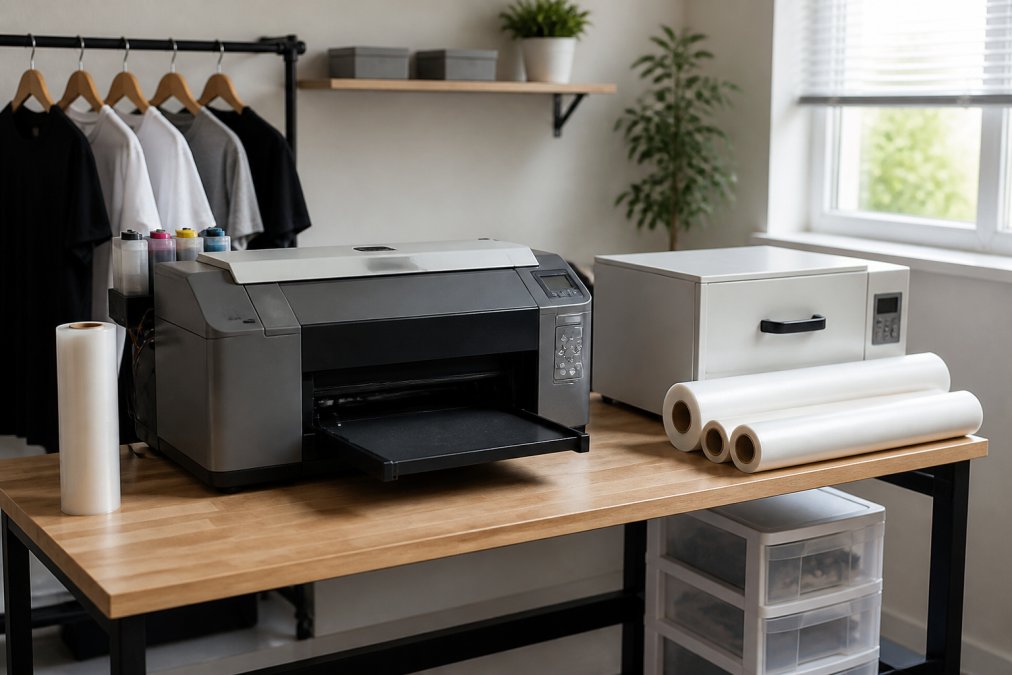
Entry-Level Models for Beginners
Entry-level machines typically use a single printhead and have a smaller footprint, making them suitable for a desk corner. They are ideal for producing gang sheets for low-volume Etsy orders. However, be prepared for slower print speeds and a more hands-on approach to white ink management, as these budget models often lack automated circulation features.
Professional-Grade Printers for Growing Studios
Once you pass roughly 20 prints per day, a professional-grade printer justifies its higher cost. These units feature dual printheads for faster output, strong ink circulation systems, and better colour gamut control. They also tend to have more durable frames and components, which reduces downtime when you have deadlines to meet.
| Printer Class | Typical Print Speed | White Ink Handling | Best For |
|---|---|---|---|
| Entry-Level | 2-4 sq ft/hour | Manual shaking required | Testing, low volume |
| Professional | 6-10 sq ft/hour | Automated circulation | Daily production, client work |
DTF Printing Setup Costs for Beginners: A Realistic Budget
The initial purchase price of the printer is only part of the financial picture, and this is where most buyer guides mislead you. A realistic setup budget must include the curing oven, a heat press for application, and a starter kit of transfer film and hot melt powder.
Beyond the hardware, you need a computer with sufficient RAM and a RIP software licence. The software interprets your design file and controls the printer's ink output, and many entry-level machines require a paid subscription or one-time fee for this essential tool. Budget for consumables separately, as ink cost per print will be your largest recurring expense.
DTF Transfer Pricing Hidden Fees: What They Don't Tell You
Most buyer guides stop at the printer's sticker price, but the real cost of ownership reveals itself over the first year of operation. For a home studio, the recurring expenses, not the initial hardware, will determine whether your venture is profitable. Here is the breakdown most suppliers won't volunteer.
The True Cost of Consumables
Your largest recurring expense is the ink set. A standard CMYK plus white ink configuration for a home printer will set you back roughly £40 to £60 per set of 100ml bottles. However, the white ink is the expensive component, often costing nearly double the colour inks. A typical A3 gang sheet uses a surprising amount of white ink as an underbase, so a single set might only yield 40 to 60 full-colour prints before replacement is needed.
Transfer film and hot melt powder are the next line items. A roll of quality A3 DTF film costs between £25 and £40, and you will waste a portion of that on test prints and calibration. Hot melt powder, which is essential for the adhesive layer, is sold in 1kg tubs for around £15 to £25. The powder consumption is more forgiving, but the initial learning curve will burn through more than you expect.
Printhead Replacement: The Budget Killer
Printheads are not a lifetime component; they are a consumable with a finite lifespan. Depending on the model and your maintenance discipline, a printhead might last 6 to 12 months. Replacement costs vary wildly, but for entry-level machines, a single printhead can cost between £80 and £150. For dual-head professional units, this cost doubles. When you factor in that a printhead failure often coincides with a service call, the financial hit is substantial.
Energy and Workspace Overheads
The curing oven and heat press are power-hungry appliances. Running a full production day, say, four hours of active curing, can add £1.50 to £3.00 to your electricity bill per session. Over a month of regular use, this is a tangible cost that many hobbyists overlook.
Ventilation is another hidden expense. The curing process releases fumes that are not ideal for a closed room. A basic extraction fan suitable for a home studio costs between £60 and £120, and you should factor in the cost of running it. If you are working in a spare bedroom, you may also need to consider air filtration to protect your living space from lingering odours.
Calculating Your Real Break-Even Point
To get a true picture, add up the following monthly costs: ink, film, powder, electricity for the oven and press, and a sinking fund for printhead replacement (divide the expected replacement cost by its lifespan in months). For a hobbyist producing 20 prints per week, this often totals £80 to £120 per month in consumables alone. This figure is the baseline you must cover before you see a profit on any sale.
Understanding these dtf transfer pricing hidden fees is what separates a sustainable side hustle from a money pit. The initial purchase is just the entry ticket; the ongoing costs are the real game.
Common Beginner Mistakes and How to Avoid Them
The gap between a successful print run and a wasted afternoon is often down to a few preventable errors. Here is the practical troubleshooting advice that comes from real home-studio use, not just spec sheets.
Mistake 1: Ignoring the Nozzle Check Routine
The most frequent cause of failure is inactivity. DTF white ink is pigment-based and heavy; it settles and dries in the printhead nozzles within 48 to 72 hours of non-use. The fix is not complex, but it requires discipline.
The Routine: At the start of every session, run a nozzle check print. If you see missing lines or gaps, run the printer's cleaning cycle once. Wait 15 minutes, then re-test. If the nozzle check is still incomplete after two cleaning cycles, stop. Repeated cleaning cycles waste ink and can damage the printhead. Instead, manually agitate the white ink cartridge or bottle, and run a third cycle after a longer pause.
Mistake 2: Incorrect Powder Application and Curing
Getting the powder right is a delicate balance. Too much powder creates a thick, rough texture on the transfer that feels cheap and can crack. Too little powder results in a transfer that fails to adhere properly to the fabric.
The Mechanism: The powder must cover the wet ink entirely while the ink is still tacky. After shaking off the excess, you need to cure the powder at the correct temperature, typically between 160°C and 170°C for 60 to 90 seconds. Under-curing is the most common error; the powder melts but does not fully polymerise, leading to transfers that peel after the first wash. Over-curing can cause the adhesive to yellow or become brittle.
The Fix: Use a dedicated curing oven rather than a heat press for the powder. An oven provides even heat distribution. If you must use a heat press, use a Teflon sheet and apply medium pressure for a shorter duration, but be prepared for less consistent results.
Mistake 3: Poor File Preparation and Colour Management
A frequent source of wasted film is failing to mirror the image before printing. DTF transfers are applied face-down, so the print must be a mirror image of the final design. This is a simple setting in your RIP software, but it is easy to overlook when you are in a hurry.
Colour management is another area where beginners stumble. The colours on your monitor are not the colours that will print. You need to use the ICC profile specific to your printer and ink combination. Without it, your vibrant digital design will come out muddy or washed out.
The Fix: Before printing a full gang sheet, always print a small test swatch of your design. Check the mirror orientation, colour accuracy, and powder adhesion. This 5-minute step prevents you from wasting an entire sheet of film and powder on a flawed print.
Mistake 4: Ignoring the Workspace Environment
DTF printing is sensitive to humidity and temperature. High humidity causes the powder to clump and the film to absorb moisture, leading to poor adhesion. Cold temperatures make the ink more viscous and prone to clogging.
The Fix: Aim to keep your home studio between 18°C and 24°C with relative humidity below 60%. If your garage is damp, invest in a small dehumidifier. Store your film rolls in a sealed plastic bag with a desiccant pack when not in use. These environmental factors are rarely mentioned in marketing materials, but they have a significant impact on your success rate.
Conclusion: Choosing the Right DTF Printer for Your Home Studio
Selecting the right machine comes down to matching the hardware to your realistic production volume and your tolerance for maintenance. If you are just starting, an entry-level printer lets you learn the workflow without a massive financial outlay, but you must commit to a regular maintenance schedule to avoid clogging issues. For those with consistent orders, a professional-grade unit with automated white ink management is worth the investment for reliability and speed.
Once your printer is running, you still need a dependable source for high-quality transfer film and powder. BB5wholesale supports creators with a seamless experience for custom apparel projects, offering an intuitive gang sheet builder for efficient production and fast door-to-door delivery. With secure payment options and 24/7 customer support, we help you achieve the best value for your printing needs. Upload your gang sheet and keep your home studio producing at full capacity.
Frequently Asked Questions
Which DTF printer is best for printing at home?
The best DTF printer for home use depends on your volume and budget. For beginners, an entry-level model with a built-in maintenance system is ideal. Look for a printer with a reliable printhead, easy white ink management, and a small footprint. If you plan to scale, consider a professional-grade machine with a larger platen and faster print speed. Always factor in the cost of a curing oven and heat press, as these are essential for finishing transfers.
What are the hidden costs of running a DTF printer at home?
Beyond the initial printer price, budget for a curing oven, heat press, and ventilation. Consumables like transfer film, hot melt powder, and CMYK plus white ink are ongoing expenses. Printhead replacement and maintenance kits are the main repair costs. Many beginners overlook the electricity usage of the curing oven and the cost of test prints during setup. These factors contribute to the real DTF transfer pricing hidden fees that aren't in the sticker price.
Is it cheaper to buy DTF transfers or print them at home?
Printing at home becomes cheaper than buying pre-made transfers once you pass a certain monthly volume. This is because the bulk of your cost shifts from a per-print premium to the upfront equipment investment. If you only produce a few garments a month, buying transfers is more cost-effective. For small businesses with steady orders, home printing offers better ink cost per print and faster turnaround, justifying the initial setup investment.
How much space do I need for a home DTF setup?
A basic home DTF setup requires a dedicated area of roughly 2.5 to 3 square metres. This space must accommodate the printer itself, a curing oven, and a heat press, with room to move around safely. You also need good ventilation to manage fumes from the curing process. If space is tight, look for compact, all-in-one units that combine printing and powder application, but remember you still need the heat press for the final application.